
Reports and dashboards
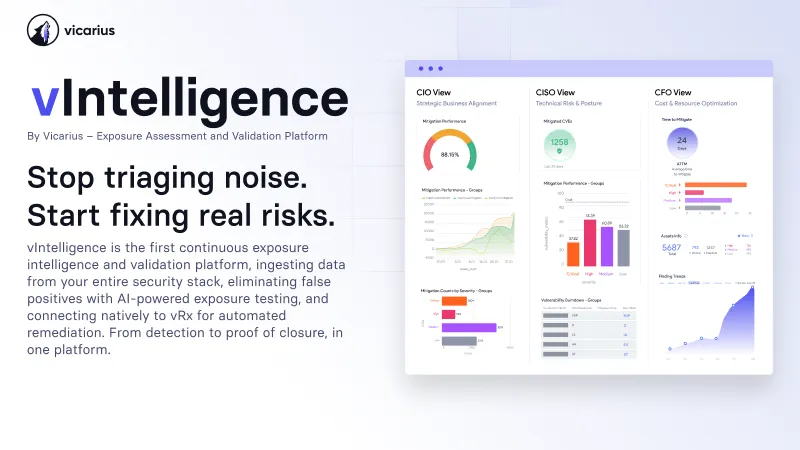
vIntelligence turns your remediation data into ready reports, from an executive risk dashboard to ROI tracking, so your team sees posture, progress, and spend without building anything manually.

of CISOs feel overwhelmed
still track risk via spreadsheets
average security tools per org





























































.png)












See your posture in real-time
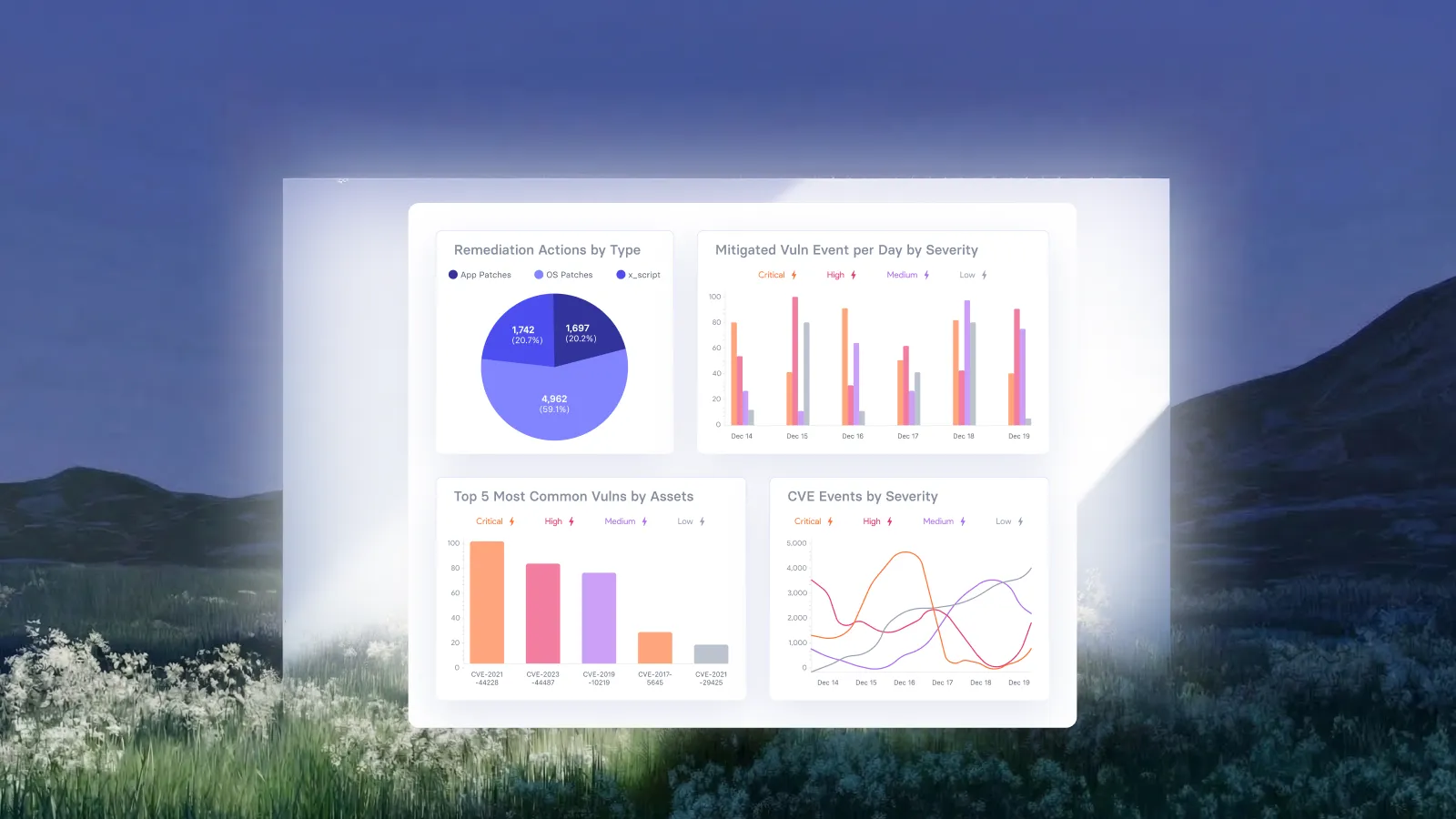
Pulling a status update usually means exporting data and building a slide. vIntelligence keeps reports live and current, so you and your team answer posture questions the moment they come up.


See posture instantly

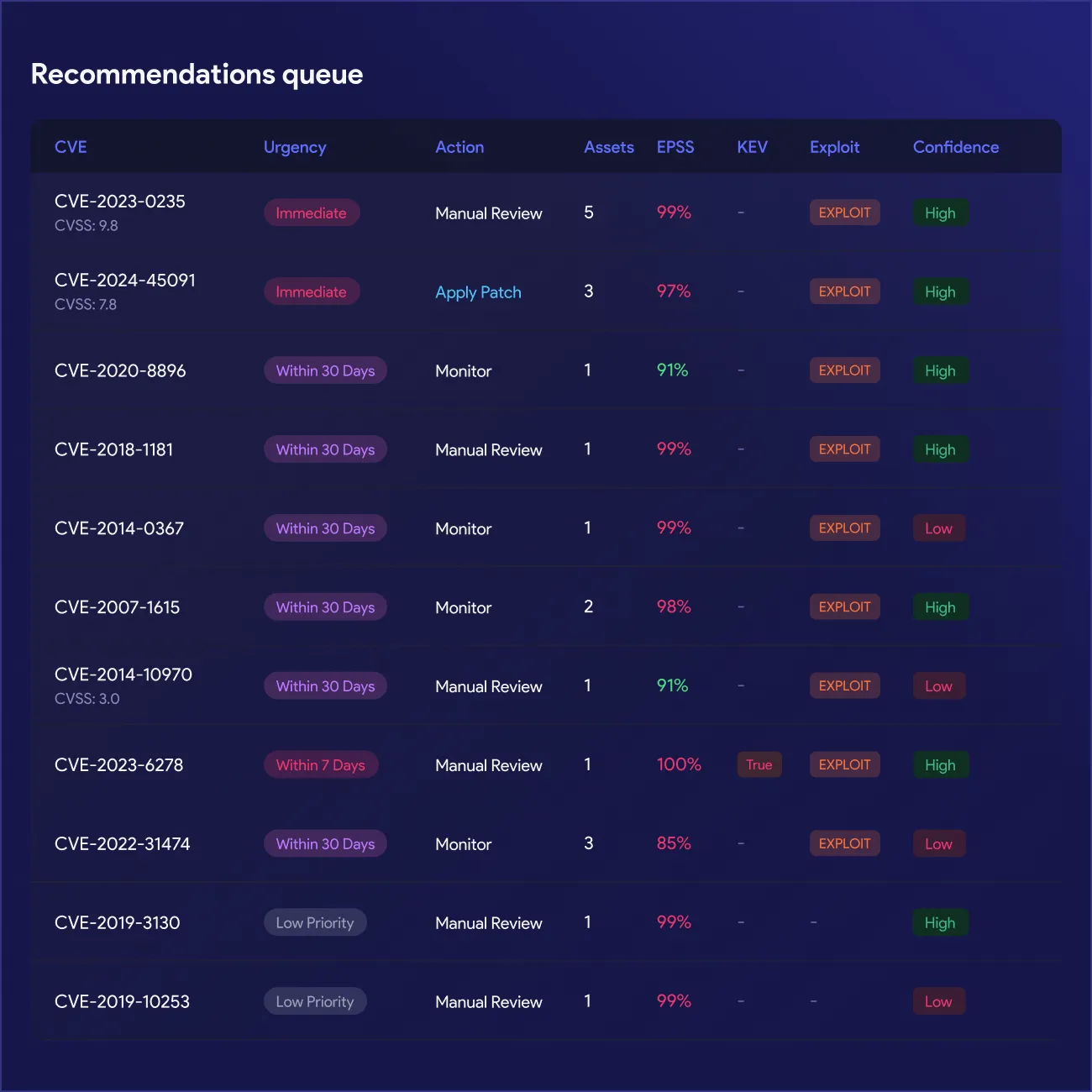
Fix what matters most

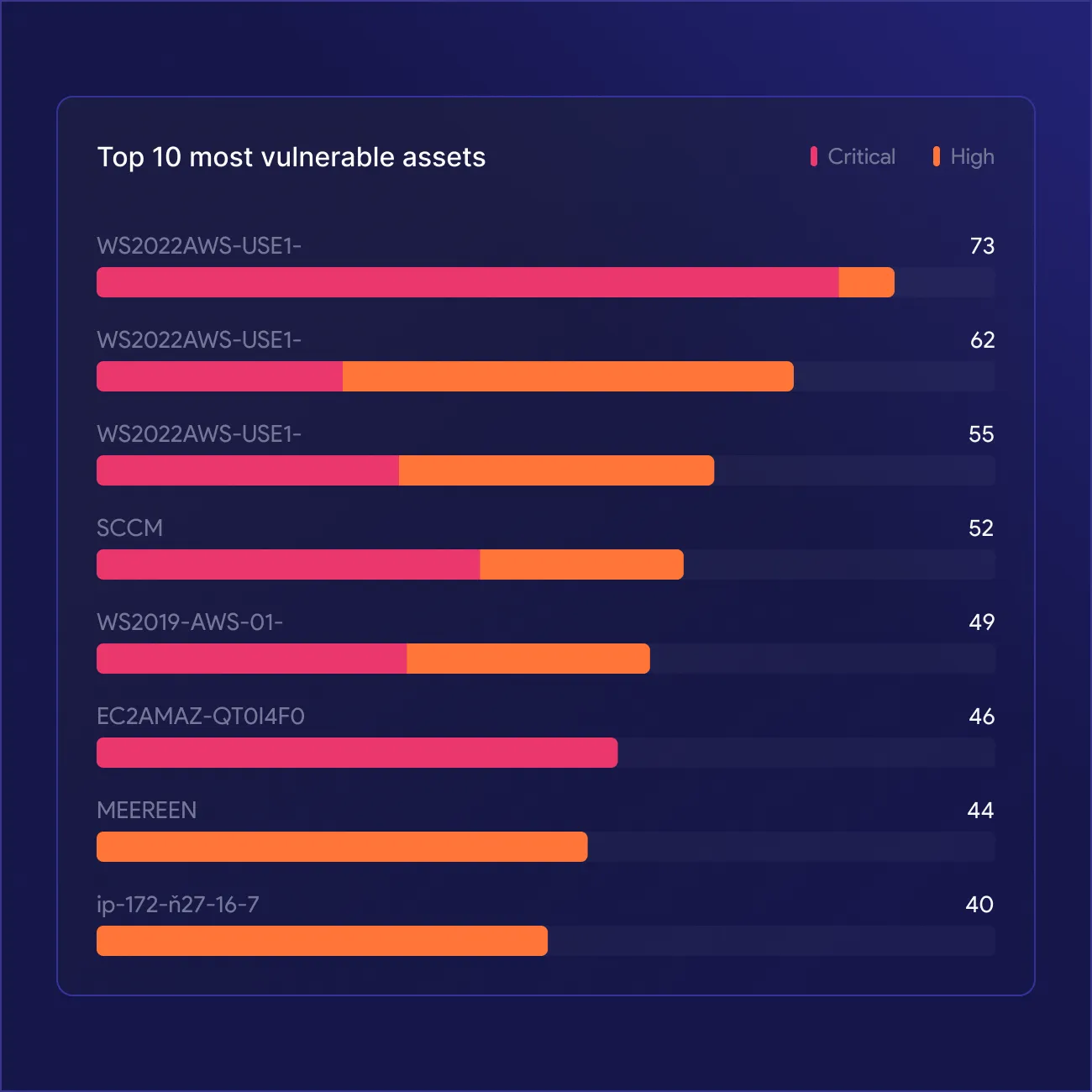
Find your riskiest endpoints

Deploy with confidence

Track status live

Walk into budget talks ready


One data layer, every report you need
vIntelligence runs reporting on a single live data layer, so posture, risk, patches, remediation, and ROI all stay current automatically, without manual assembly or exports to reconcile.







What Our Customers Say About Us
See why enterprises trust our approach to AppSec to secure their business-critical applications
All in one platform



From urgency to strategy

EL AL secures global Patch Compliance


Complete Vulnerability Remediation Platform



Excelente capacidad de parcheo, un panel útil y soporte excepcional

Hervorragende Patch-Fähigkeiten, ein hilfreiches Dashboard und exzellenter Support
Excellentes capacités de mise à jour, tableau de bord pratique et support exceptionnel
Valuable resources saved
Third-party software patching is the most valuable feature.
Single source of truth, capable of handling any application in our fleet
60% faster remediation, many hours saved
Great patching capabilities, helpful dashboard, and excellent support
My favorite feature is Patchless Protection

Unified vulnerability discovery, prioritization, and remediation
Patchless Protection is an incredible technology!
Merge Security & IT to Remediate Threats


Everything you need to know
What reports does vIntelligence provide?
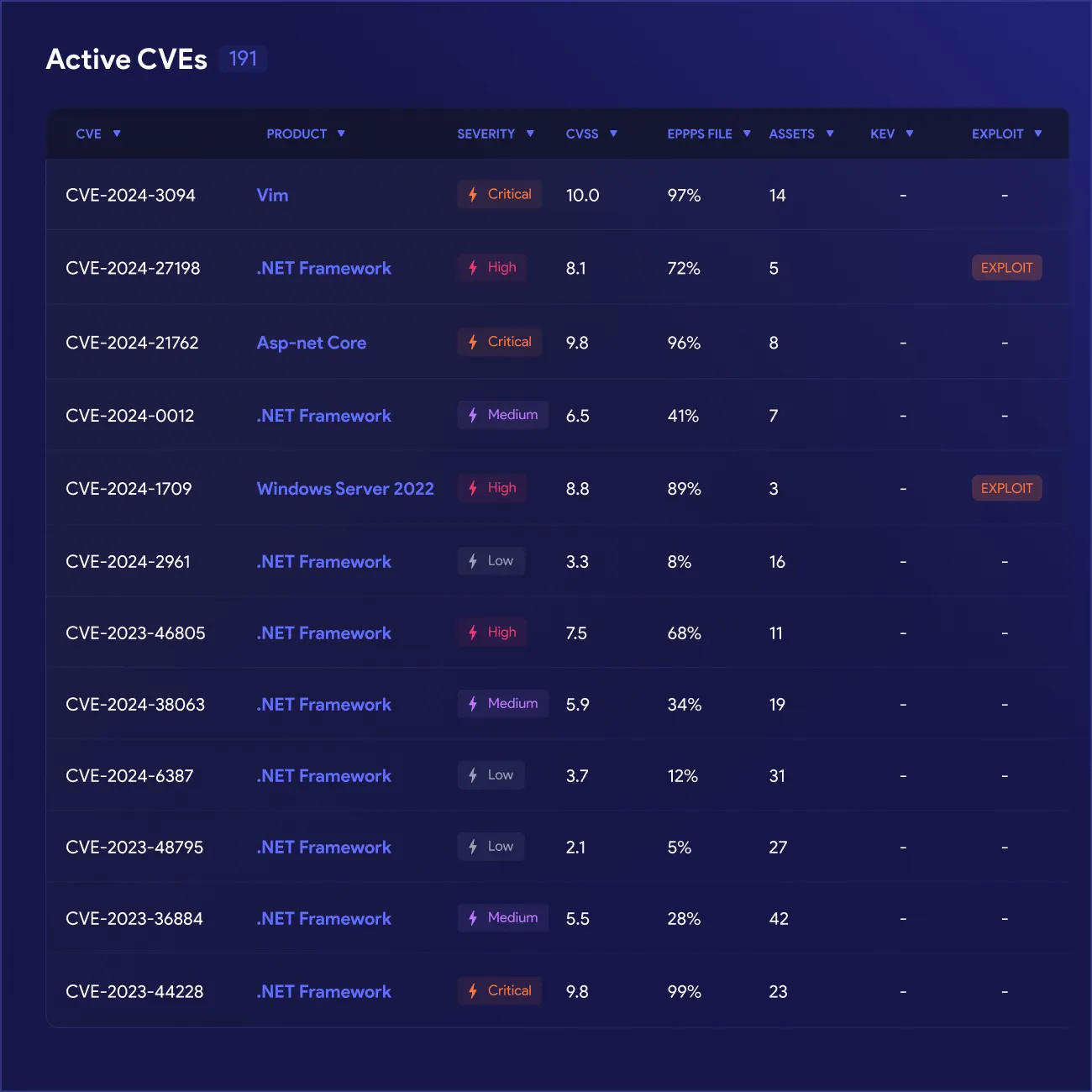
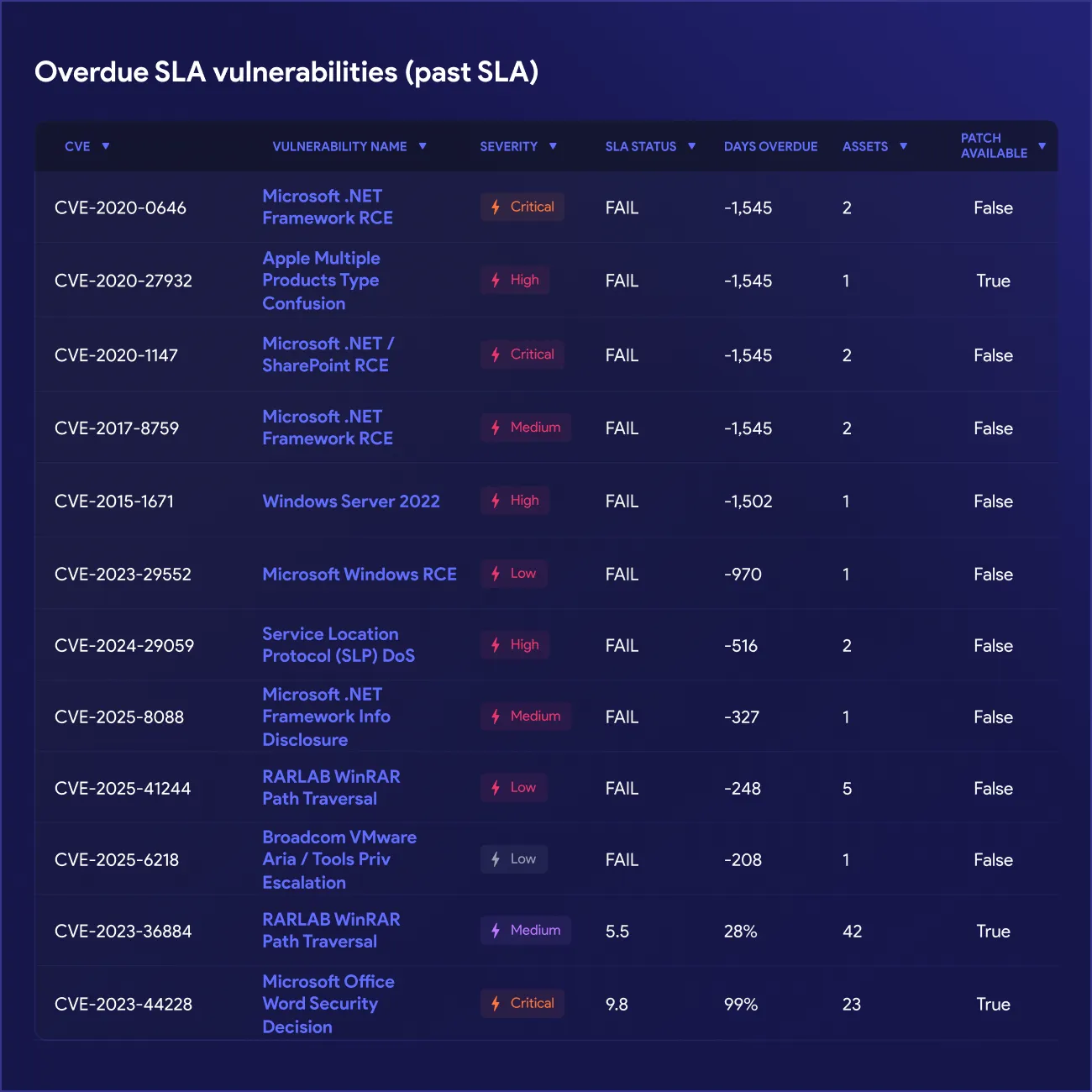
vIntelligence provides several reports out of the box: an Executive Risk Dashboard, a Vulnerabilities Report, an Assets Report, a Patches Report, a Remediation Report, and an ROI Report. Each pulls from your live data, so the numbers reflect your current environment rather than a static export.
How current is the data in these reports?
Reports run on live, continuously updated data, so your team always knows the numbers reflect the current state of your environment. This removes the guesswork of stale spreadsheets or manually triggered exports that fall out of date between refreshes.
Can I see risk by machine instead of by vulnerability?
Yes. The Assets Report scores your endpoint inventory by exposure, showing which machines carry the most risk rather than listing vulnerabilities in isolation. The Vulnerabilities Report complements this by drilling from each CVE down to the exact assets it touches.
Does the Patches Report tell me if a patch is safe to deploy?
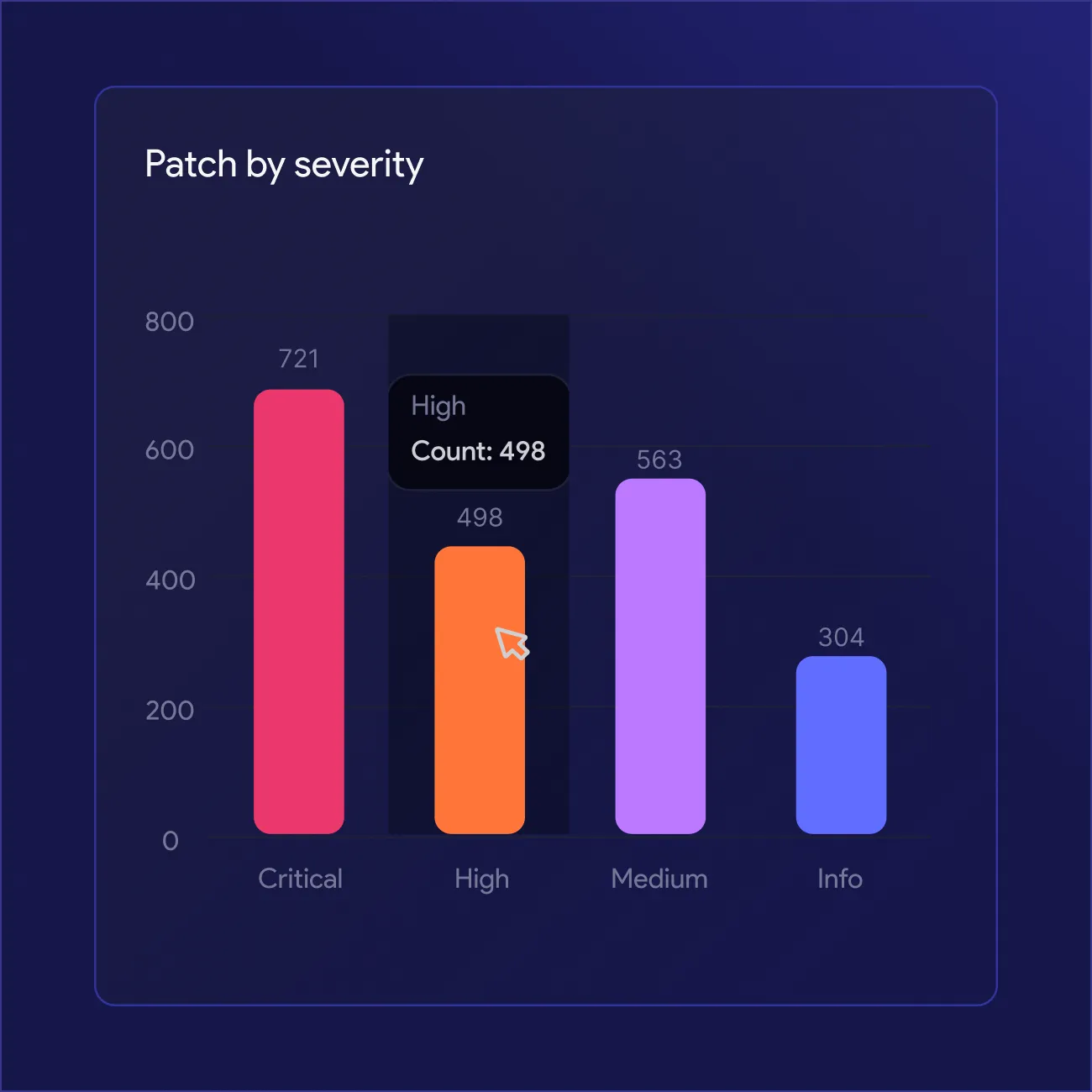
Yes. Every patch gets a safety classification, safe, known-issues, or high-risk, along with reboot requirements and known-issue flags. This gives your team context before deployment instead of discovering problems after pushing an update to production systems.
Can I export these reports for leadership or an audit?
Yes, reports export as CSV and as polished, brandable PDF, ready for leadership review or an audit trail. Your team pulls whichever format fits the moment, spreadsheets for further analysis, PDF for a clean leave-behind.
How does the ROI Report calculate savings?
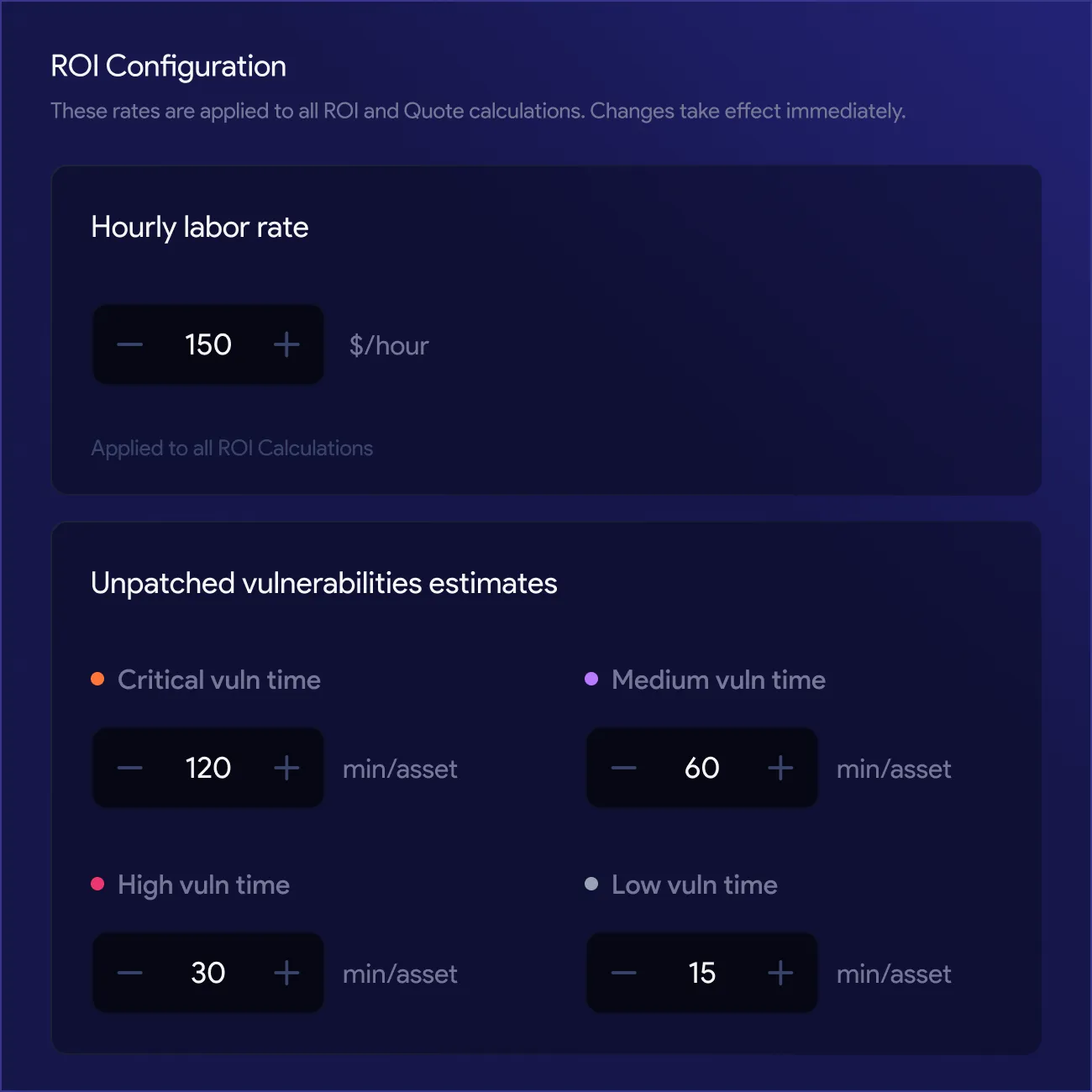
The ROI Report quantifies the time and cost your automated remediation is saving, based on your own remediation activity and outcomes. Your team can define the rates and settings behind the calculation, hourly cost, labor rates, and other inputs, so the figure reflects your organization's actual numbers, not a generic assumption. This gives your team a defensible, data-backed figure to bring into budget or renewal conversations instead of an estimate.
Do reports require separate logins or a different tool?
No. Reports, the AI assistant, and administration all sit behind a single sign-on and one login. Access follows role-based control, Admin, Analyst, or Viewer, so your team views the same live data without switching platforms or credentials.





