Find it. Fix it. Prove it.
Most SecOps teams can detect vulnerabilities in hours. Closing them takes weeks, and proving they're gone takes longer. vRx gives vulnerability analysts a prioritized queue, three remediation paths, and an audit trail that closes on its own.
reduction in mean time to remediation
more closed CVEs VS scanner-only workflows
audit-ready remediation proof from day one




















































.png)











Challenges

8,000 findings, no clear starting point

Tickets go in, nothing comes out

Zero-days leave you waiting

Scripts that live in one person's head
Benefits & capabilitiesp

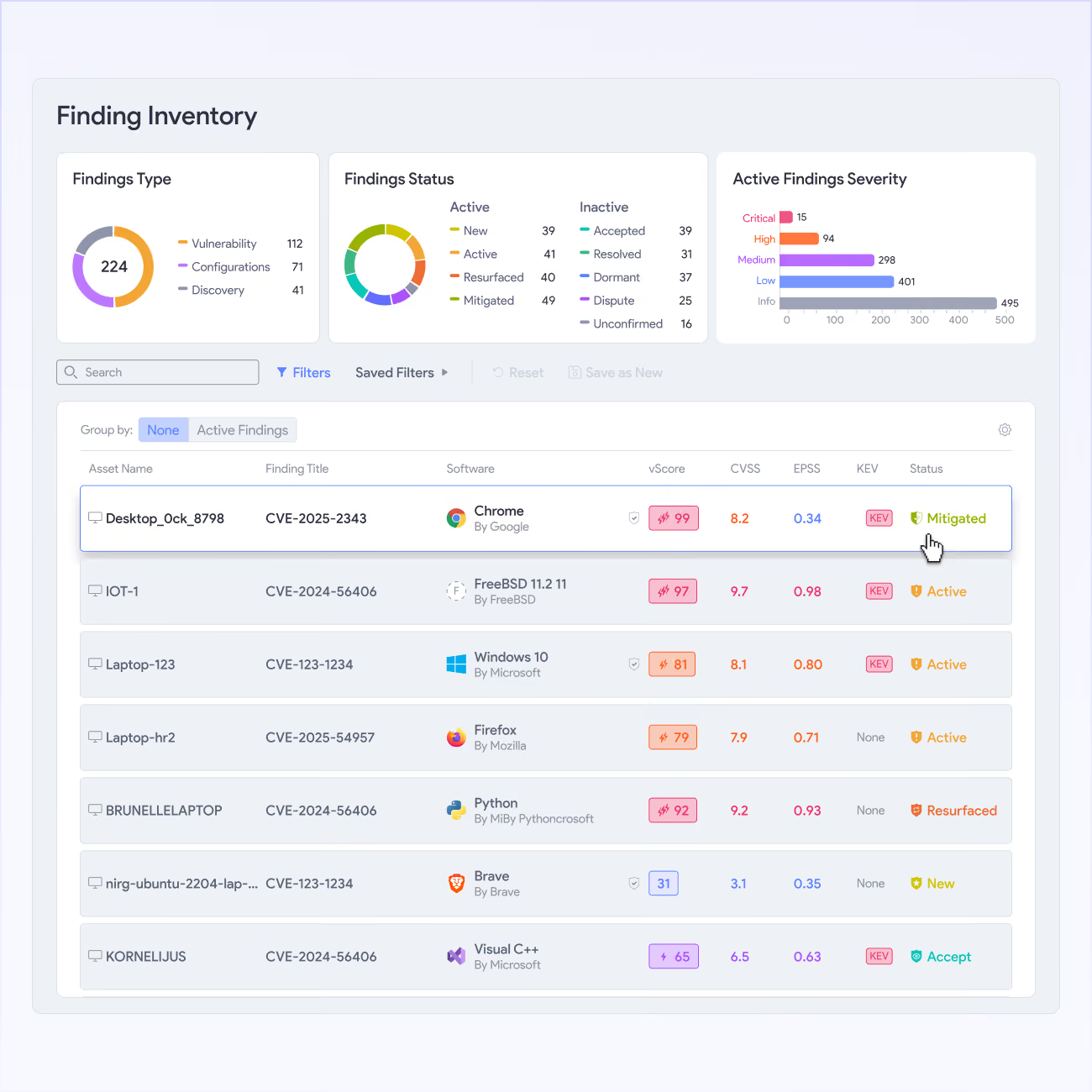
Triage that sticks
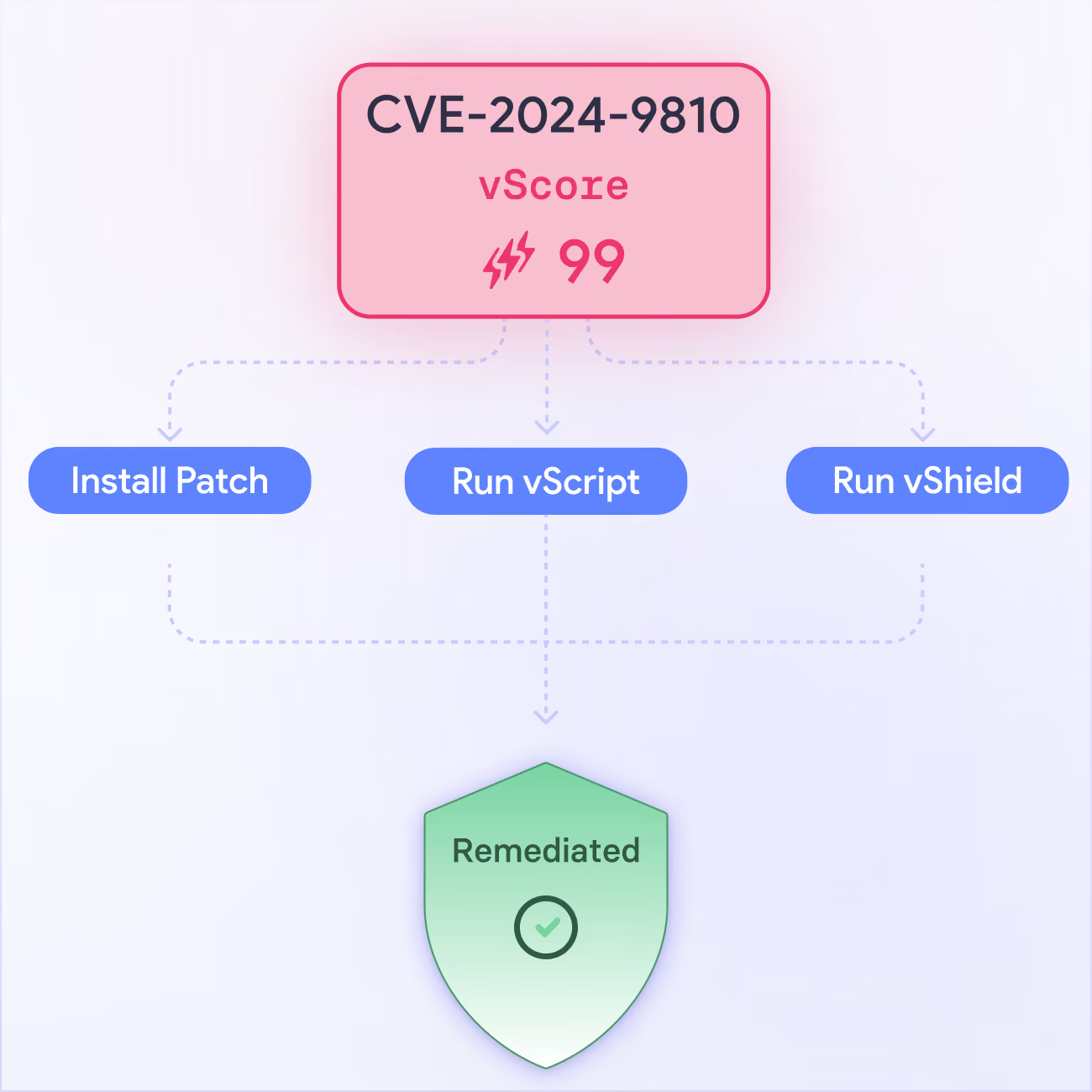
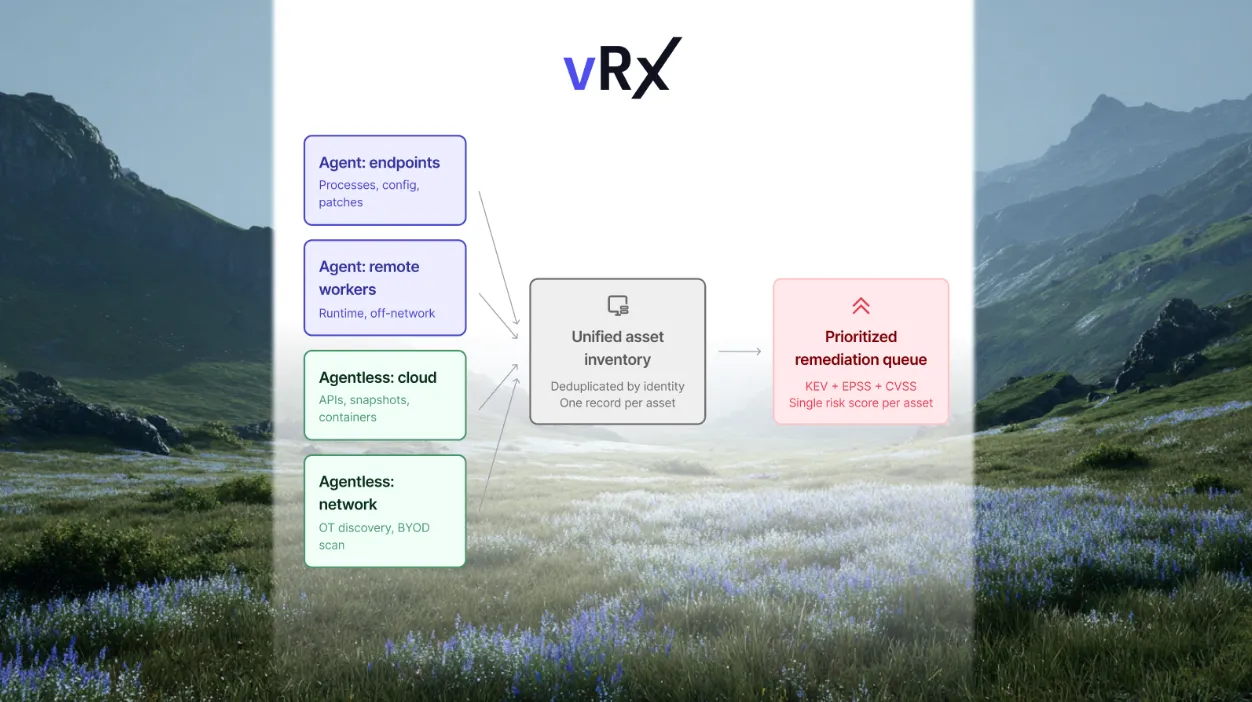
vRx scores every finding against CVSS, EPSS, KEV status, and business criticality you define. The queue that comes out reflects actual risk, not theoretical CVSS rankings.
.svg)
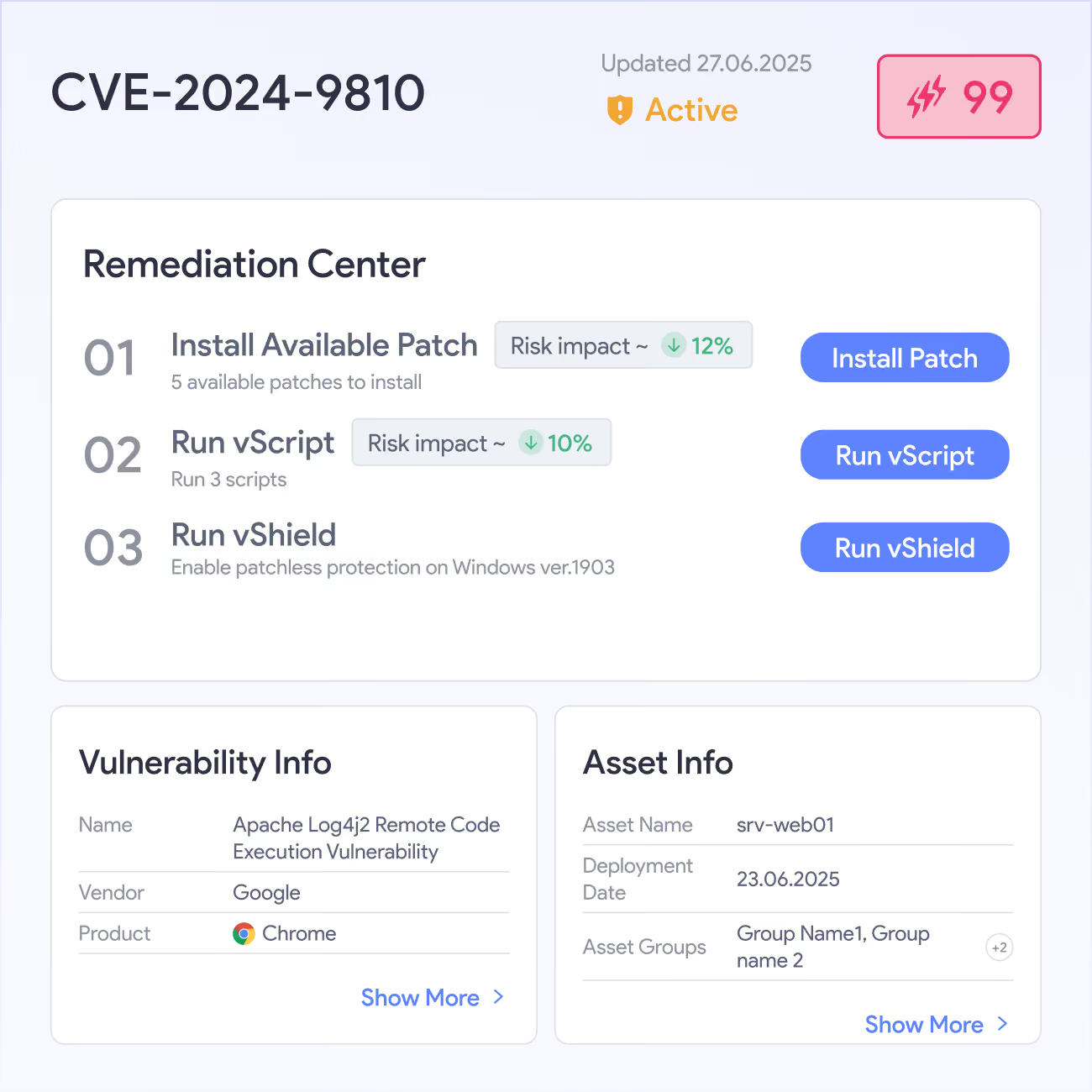
Three ways to fix it
When a patch exists, vPatch deploys it. When patching would break production, vShield blocks the exploit at runtime. When neither fits, vScript runs the fix across any asset group.
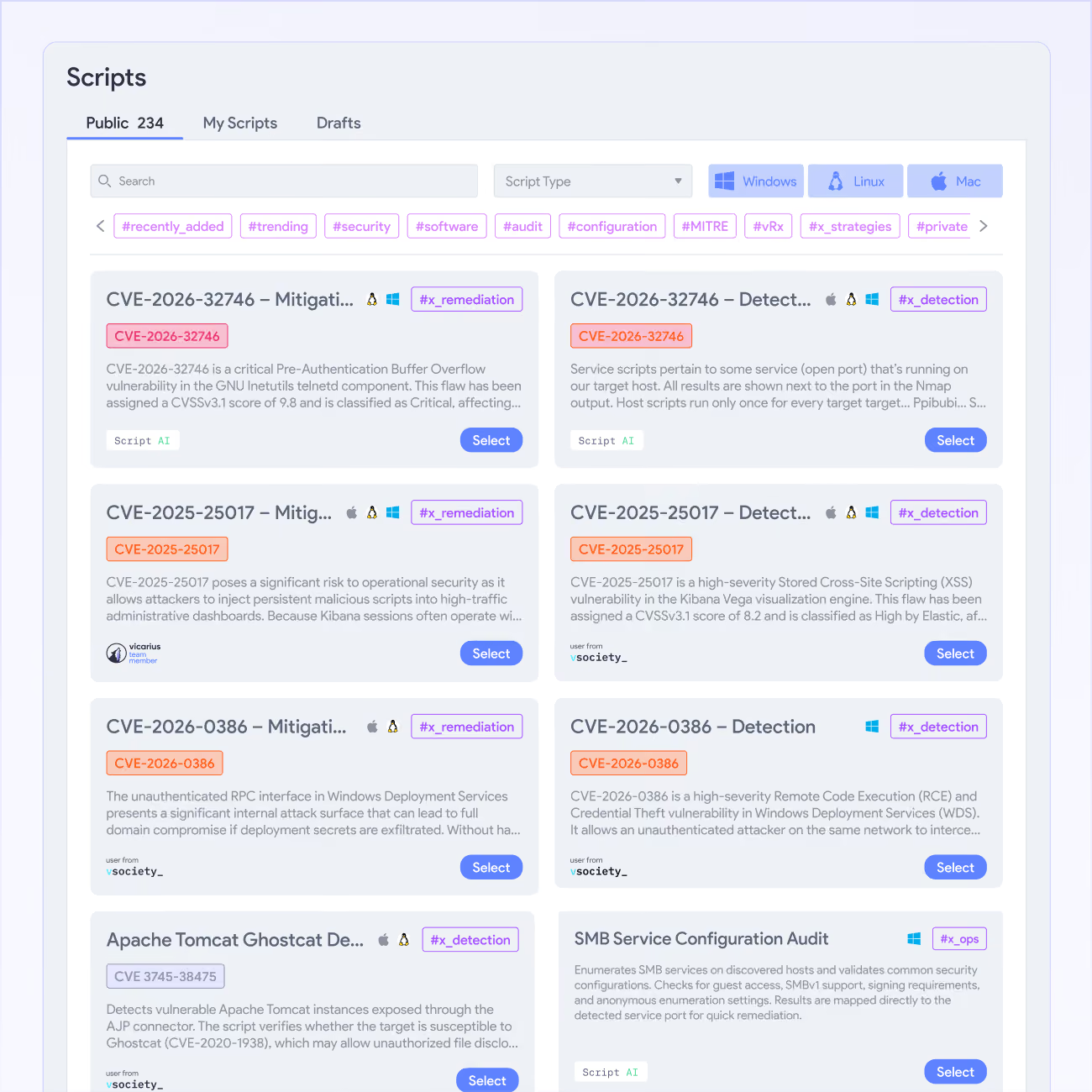
Scripts the whole team owns
vScript stores your remediation logic in the platform, versioned, auditable, deployable across asset groups without touching individual machines. Community and AI-generated scripts fill the gaps.
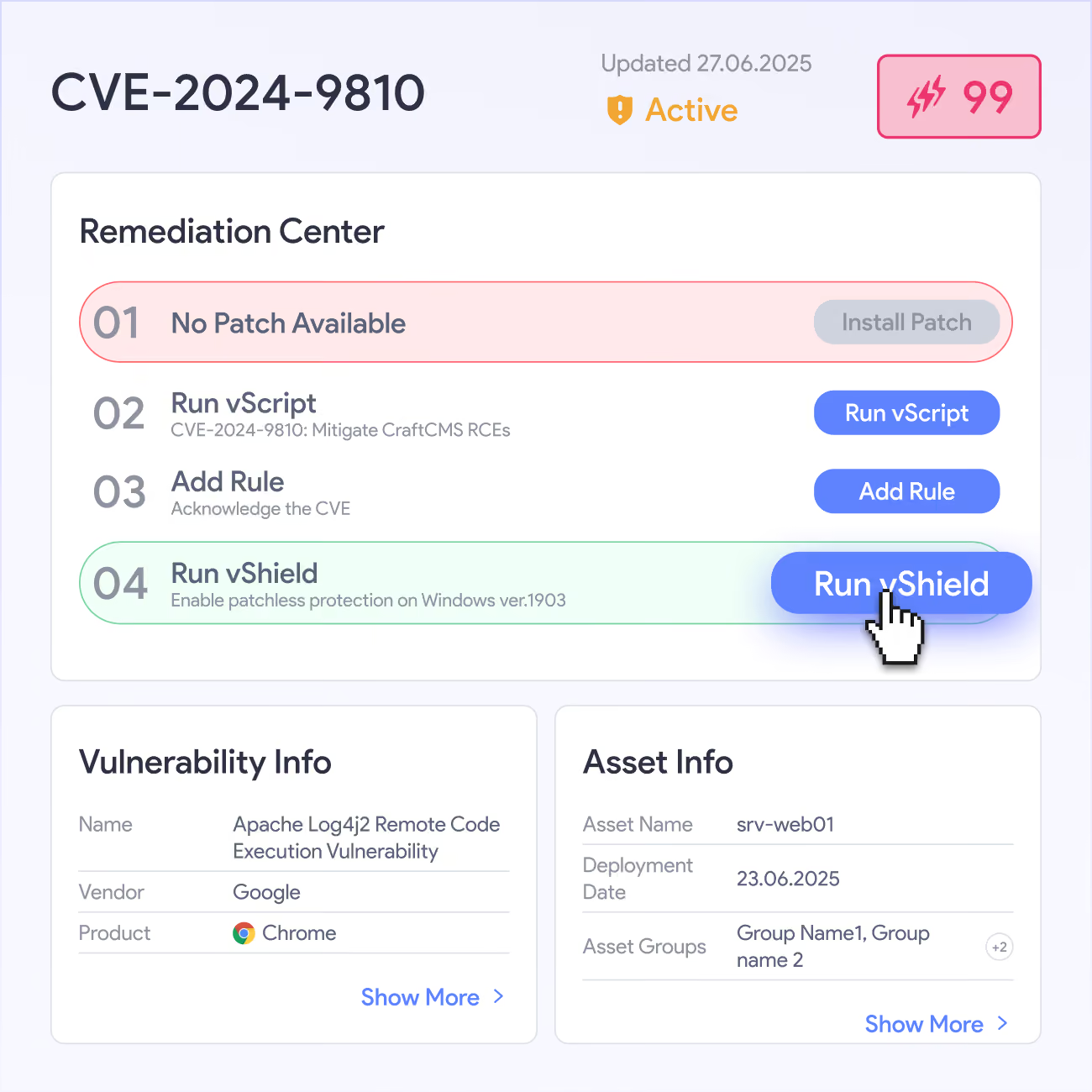
Zero-day coverage now
When a critical CVE drops with no patch, vShield - Patchless Protection blocks the exploit path at runtime using dynamic binary instrumentation, no code changes, no maintenance window, no waiting.







Hear from our Customers
All in one platform



From urgency to strategy

EL AL secures global Patch Compliance


Complete Vulnerability Remediation Platform
Valuable resources saved

Third-party software patching is the most valuable feature.
Single source of truth, capable of handling any application in our fleet
60% faster remediation, many hours saved
Great patching capabilities, helpful dashboard, and excellent support
My favorite feature is Patchless Protection

Unified vulnerability discovery, prioritization, and remediation
Patchless Protection is an incredible technology!
Merge Security & IT to Remediate Threats

Explore Solutions
Got Questions?
How does vRx prioritize findings when my scanner already ranks them by CVSS?
CVSS measures theoretical severity, not real-world risk in your environment. vRx rescores your scanner's findings using EPSS probability (how likely this CVE gets exploited in the next 30 days), CISA KEV status (is it already being used in active attacks), and whether the vulnerable asset is reachable from outside your network. A critical CVE on an air-gapped test box ranks below a medium CVE on an exposed customer-facing server. That reordering is where the real triage happens.
We already write our own remediation scripts. Does vScript replace that?
No. vScript stores and operationalizes whatever you've already built. Your scripts live in the platform now: versioned, tied to specific asset groups, auditable by action and outcome, deployable without touching individual machines. The community library fills gaps so you're not writing from scratch for every new CVE. If a tested script exists, you use it. If it doesn't, you write it once and it's available to your whole team next time the same vulnerability surfaces.
What happens when a critical CVE drops on Friday with no patch?
vShield activates. It applies dynamic binary instrumentation to block the exploit path at runtime without modifying the underlying application or requiring a maintenance window. The vulnerability stays technically present on disk, the attack vector is neutralized in execution. You're not waiting weeks for a vendor patch while the CVE is actively exploited in the wild. When the patch ships, you replace the vShield protection, and the full remediation timeline is in your audit log.
Does vRx work with our existing scanner or do we need to replace it?
vRx and vIntelligence can sit downstream of your scanner. It ingests findings from Tenable, Qualys, Rapid7, and other sources, applies prioritization logic, and routes remediation. Your scanner keeps running. vRx and vIntelligence add the layer between "we detected it" and "we closed it" that scanners were never designed to provide. Most teams connect vRx and vIntelligence to their existing scanner output within a day.
Can we see exactly what a script will do before it runs on production assets?
Yes. Every vScript execution requires explicit scope selection and approval before anything runs. You define the asset groups, preview the action, and either approve manually or configure automation rules that match your change management process. Nothing executes blindly. The execution log captures what ran, on which assets, at what time, and what the outcome was. That log is what you show your auditor when they ask.

Start your free demo!