
Assets and sites management
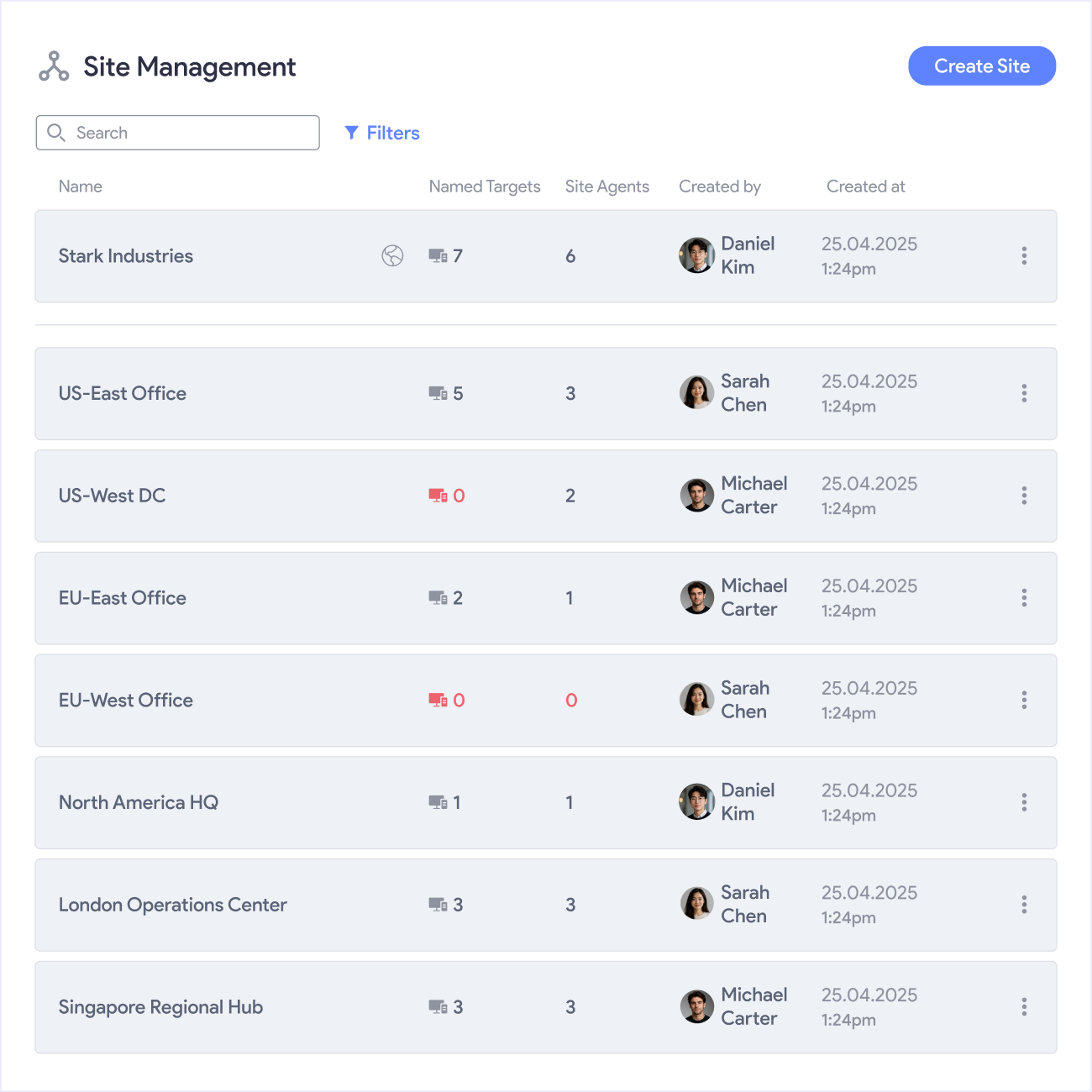
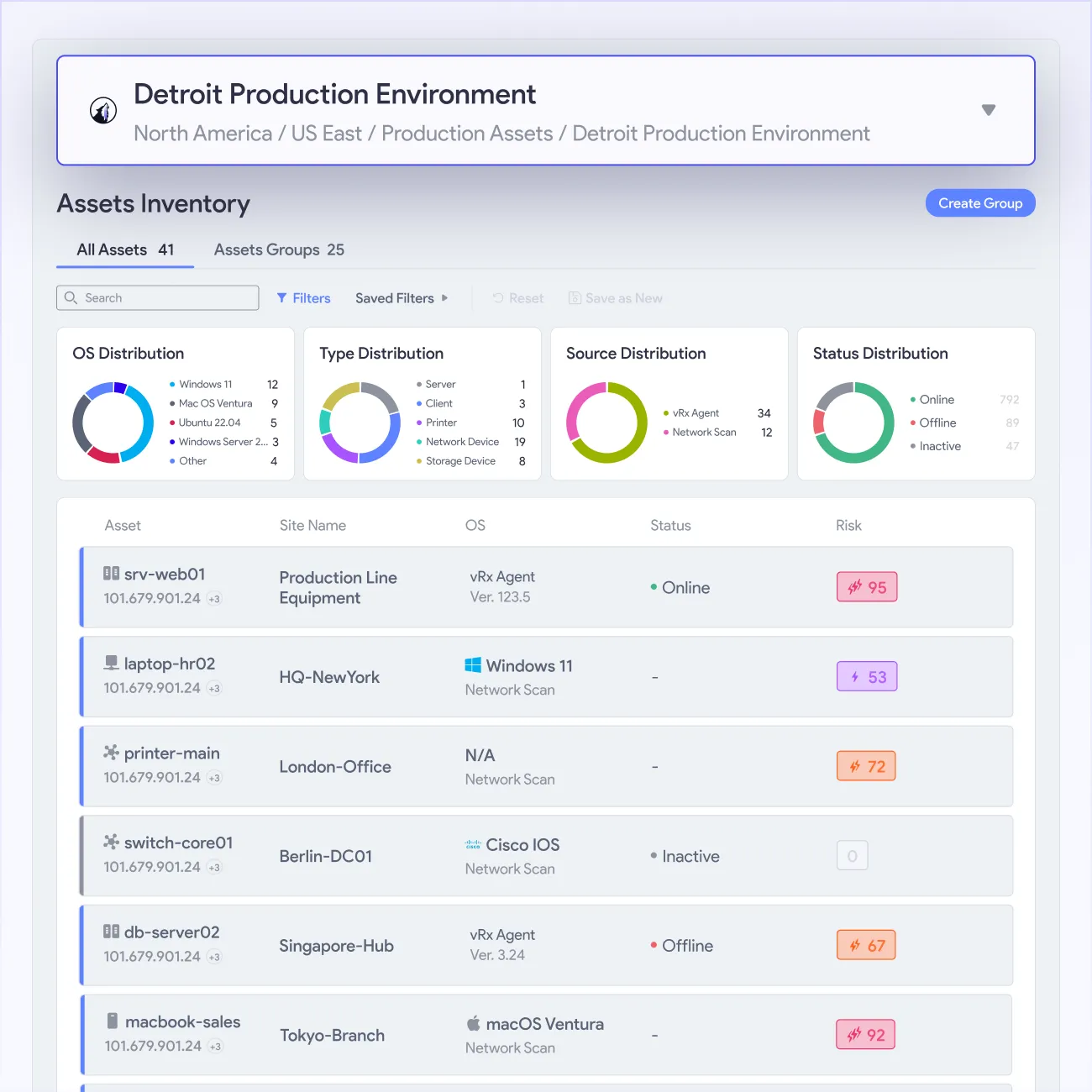
vRx gives your team a live view of every asset across every site in your environment. Organize by location, deploy by site, and monitor exposure and remediation status wherever your infrastructure lives.

CIS benchmarks supported
reduction in manual patching
unlimited sites and subsites
































































.png)













Full visibility across every site
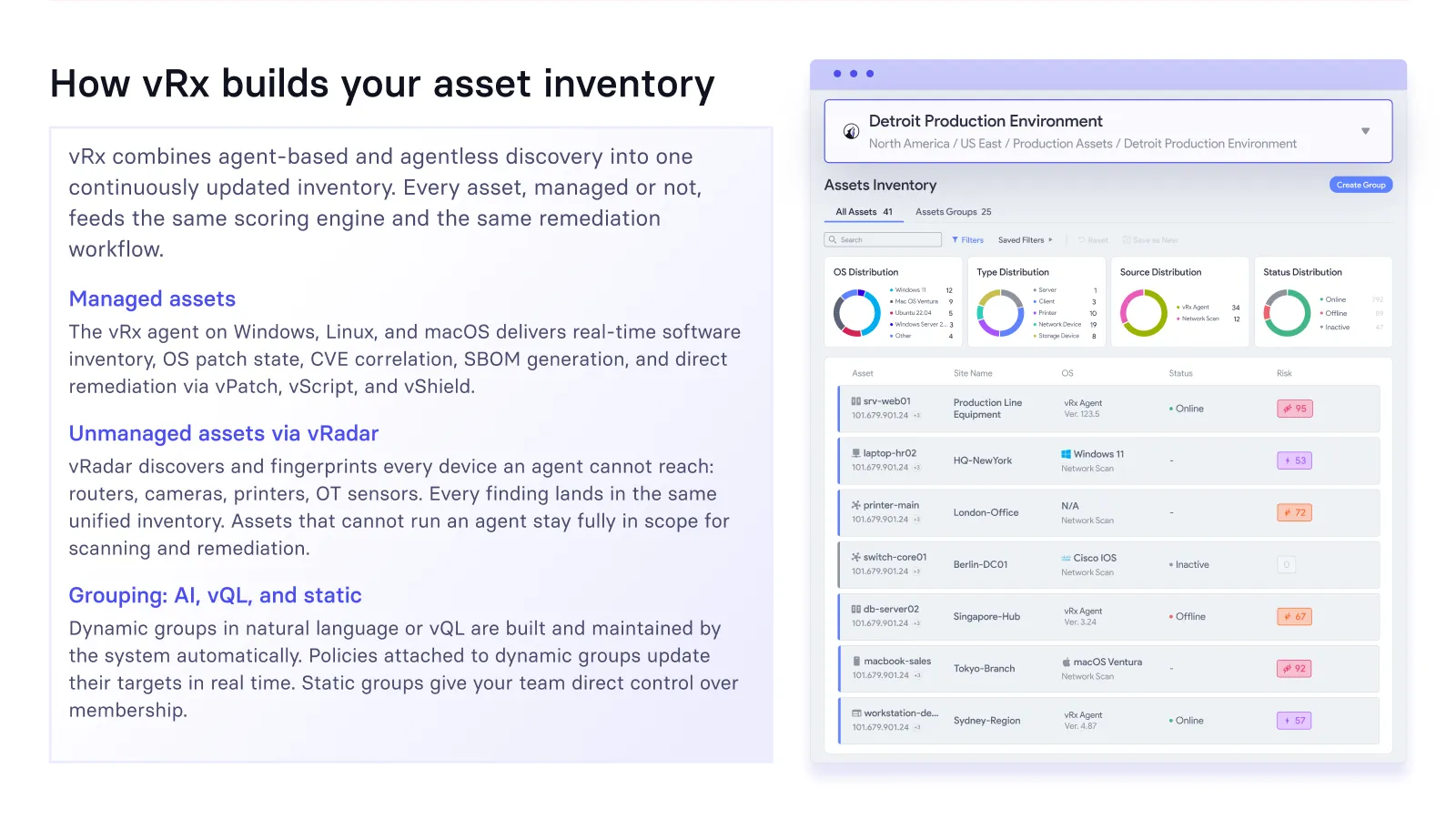
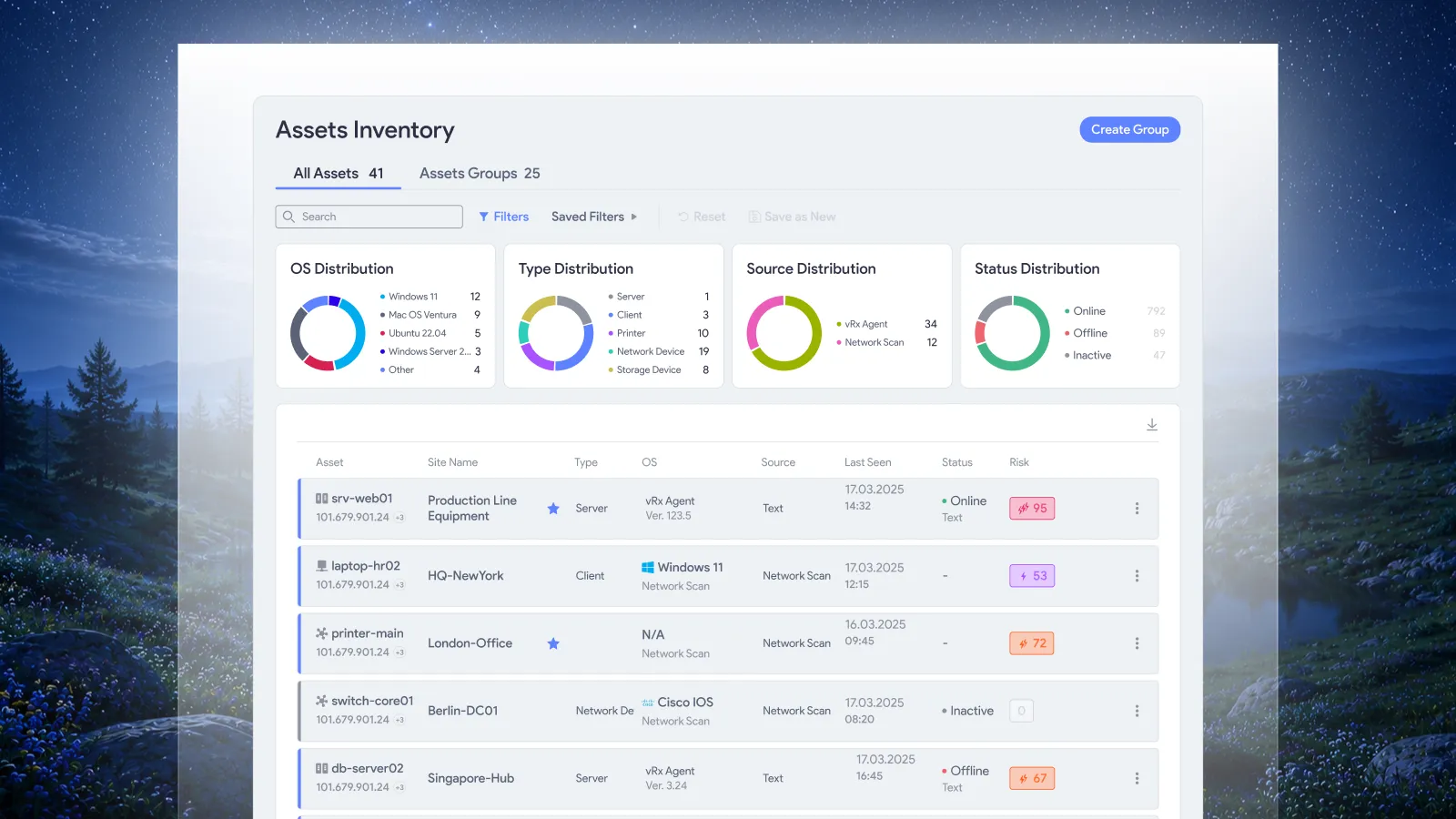
A distributed environment is hard to secure when visibility stops at one location. vRx maps every asset across every site, giving your team a unified view of exposure, inventory, and remediation status wherever your infrastructure lives.


Every site, visible

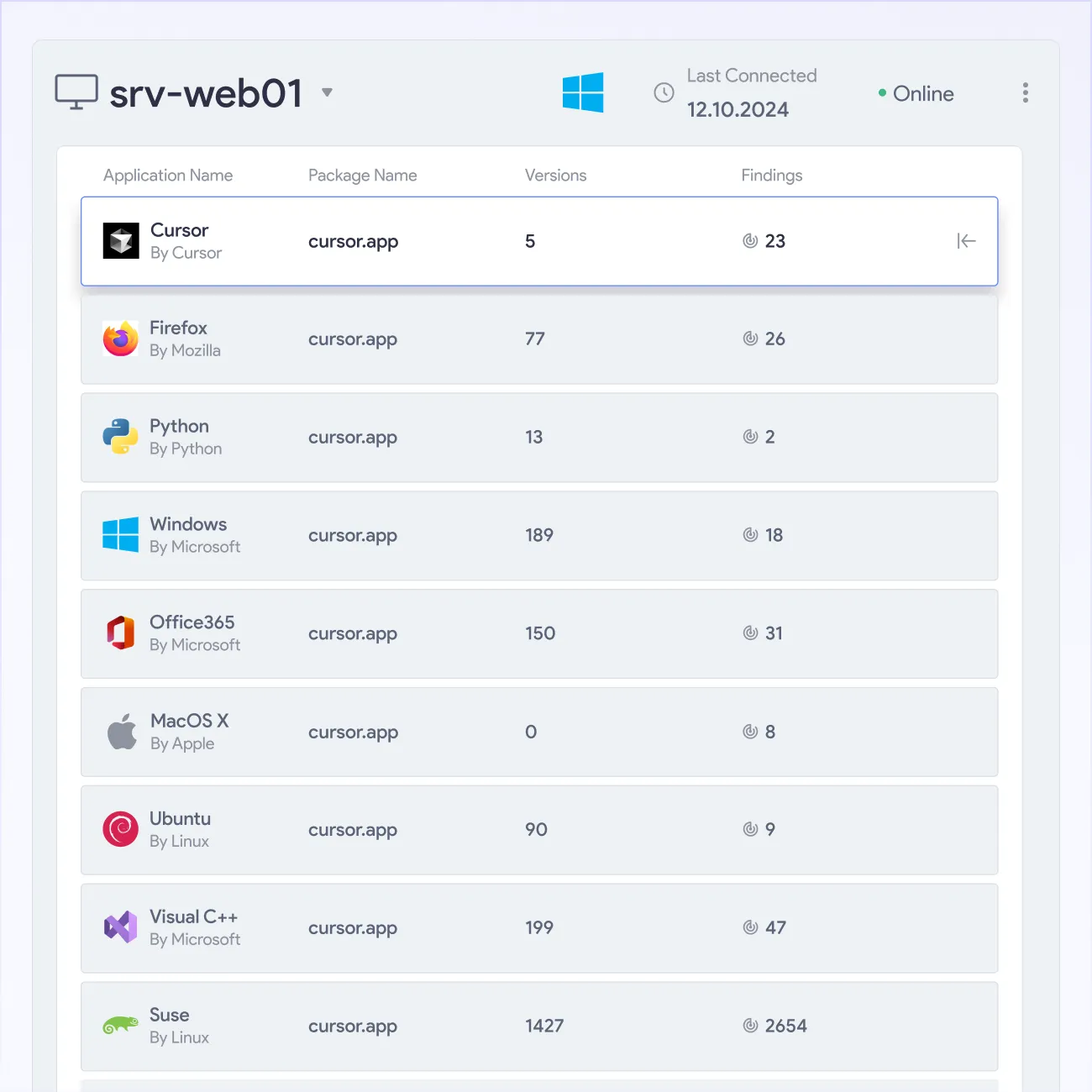
Deploy by site

Risk ranked per site

No stale inventory

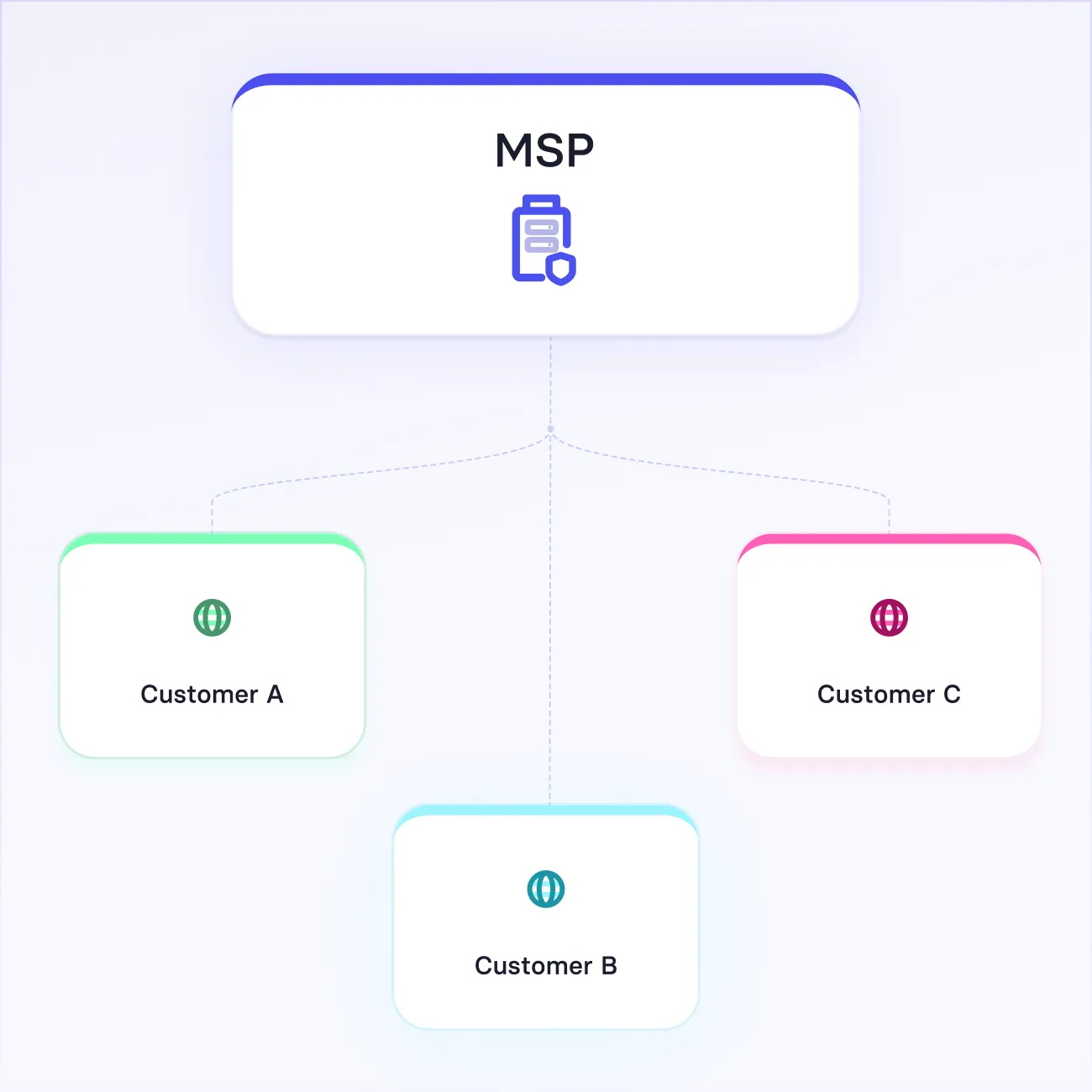
MSP sites, fully isolated

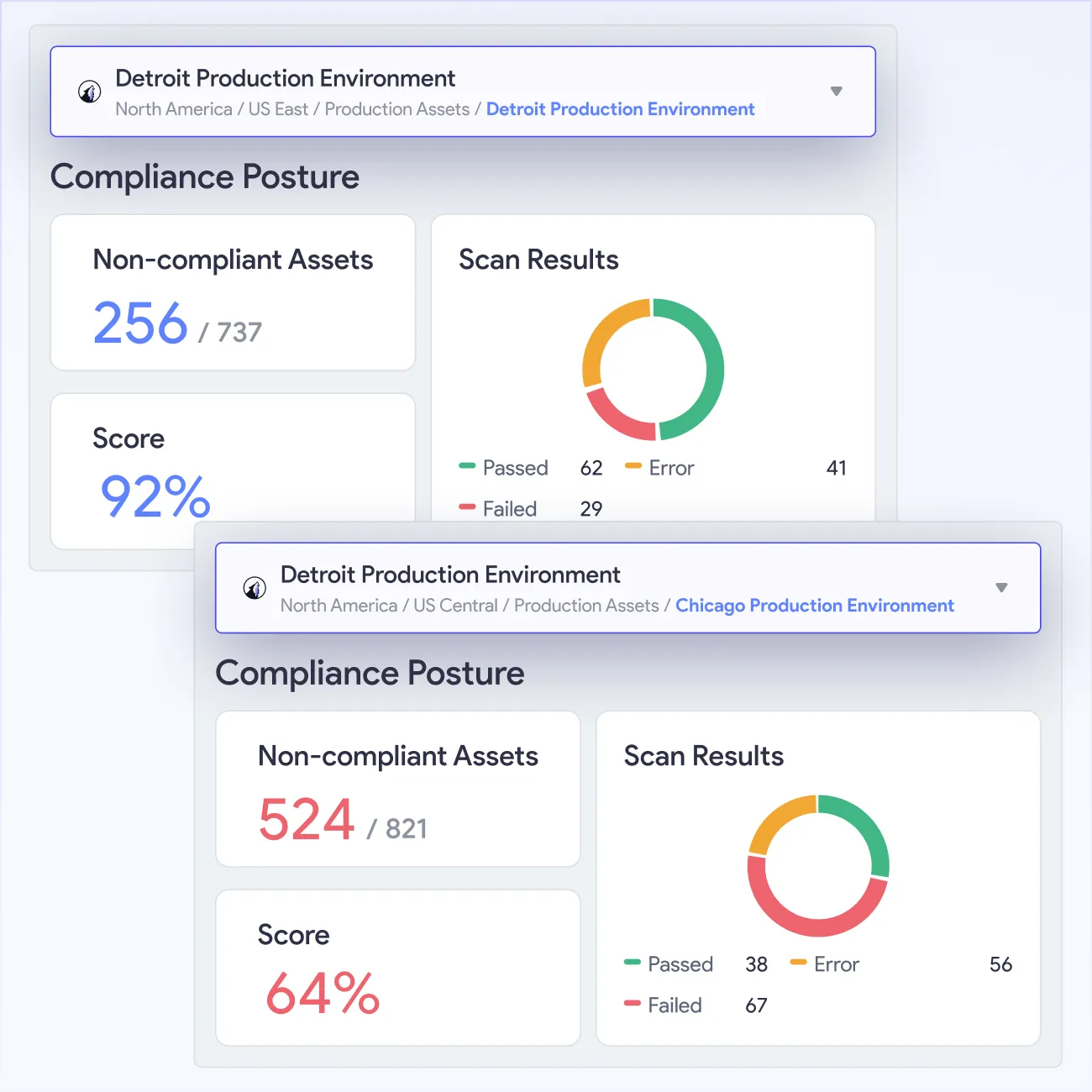
Compliance per site


Every site mapped, every asset tracked
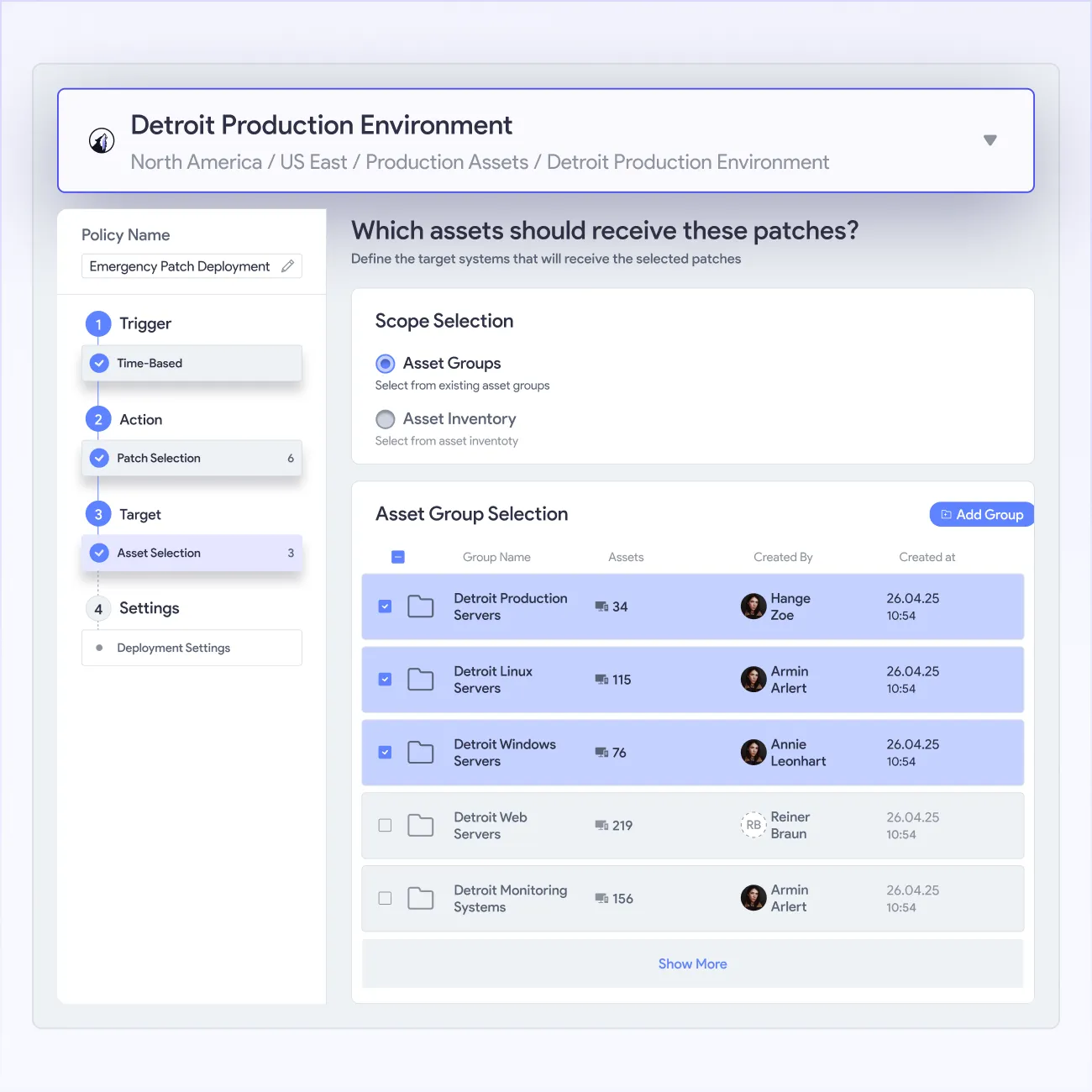
vRx manages your full asset estate across every site through continuous discovery, site-scoped grouping, and per-site deployment controls. Asset groups, the site agent scanner, SBOM generation, and MSP sub-tenancy give your team full context across every location.







What Our Customers Say About Us
See why enterprises trust our approach to AppSec to secure their business-critical applications
All in one platform



From urgency to strategy

EL AL secures global Patch Compliance


Complete Vulnerability Remediation Platform



Excelente capacidad de parcheo, un panel útil y soporte excepcional

Hervorragende Patch-Fähigkeiten, ein hilfreiches Dashboard und exzellenter Support
Excellentes capacités de mise à jour, tableau de bord pratique et support exceptionnel
Valuable resources saved
Third-party software patching is the most valuable feature.

Single source of truth, capable of handling any application in our fleet
60% faster remediation, many hours saved
Great patching capabilities, helpful dashboard, and excellent support
My favorite feature is Patchless Protection


Unified vulnerability discovery, prioritization, and remediation

Patchless Protection is an incredible technology!
Merge Security & IT to Remediate Threats

Everything you need to know
What is a site in vRx?
In vRx, a site represents a physical or logical location in your environment, such as an office, data center, cloud environment, or client network. Assets are organized under sites, giving your team visibility, deployment control, and compliance monitoring at the location level. Every policy, deployment, and report can be scoped to one or more sites.
How does vRx keep asset inventory current across distributed sites?
vRx uses the agent and agentless scanner to continuously monitor assets across every site. New assets are detected and added to inventory as they come online. Changed assets update immediately. The result is a live inventory that reflects the current state of every site rather than the state captured at the last scheduled scan.
Can I deploy patches to one site without affecting others?
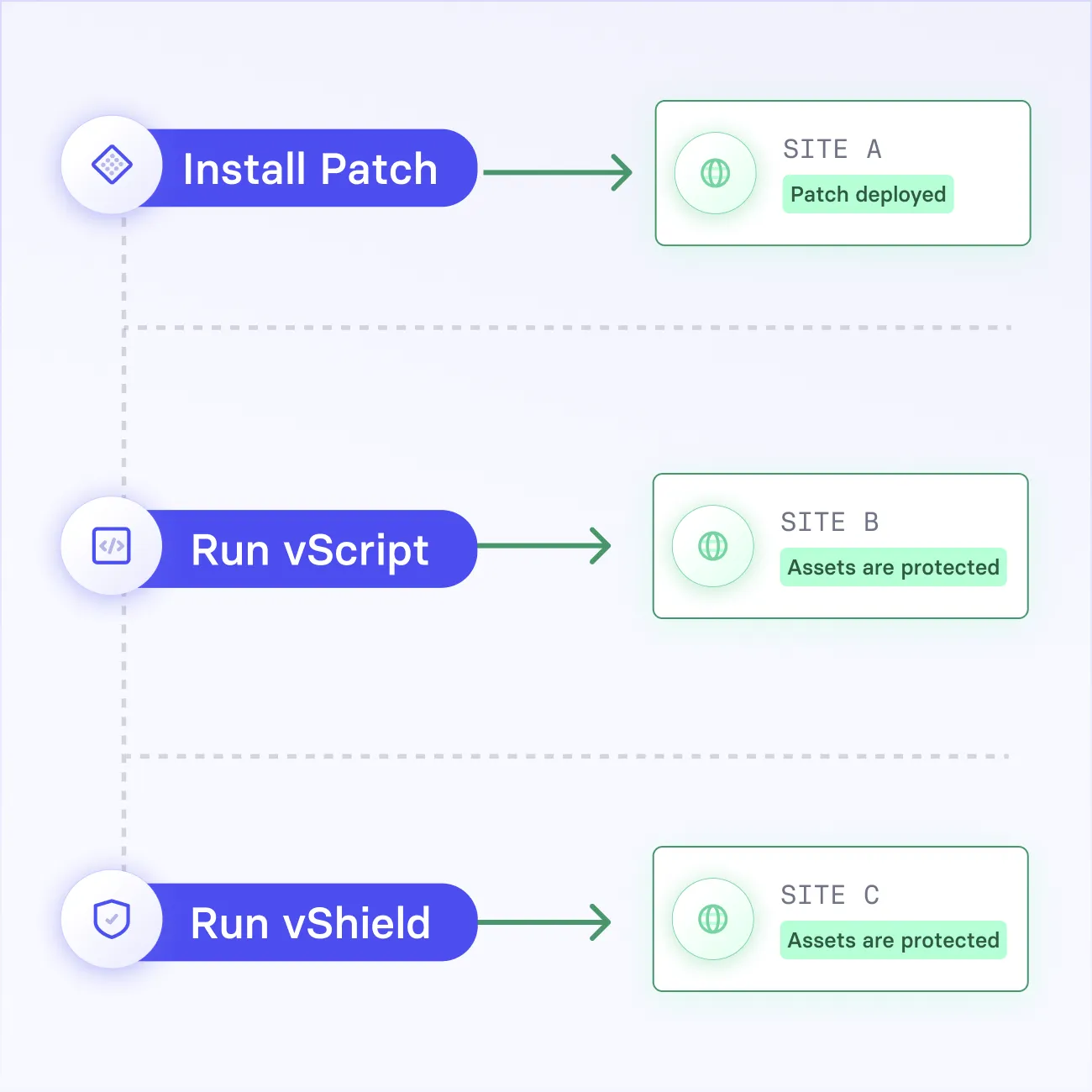
Yes. vRx scopes patch deployments, vScript runs, and vShield activations to named sites. A deployment targeting one site has no effect on assets in any other. This precision matters for phased rollouts, canary testing, ring deployments and environments where sites run different operating systems or carry different maintenance windows.
How does the site agent scanner work?
The site agent scanner runs at the site level, collecting asset data and sending it to vRx for processing. It feeds asset discovery, compliance scanning, and vulnerability data for all devices within its site scope into the unified vRx view, so your team sees every site through one platform without a per-device agent on every machine.
Can MSPs manage multiple client sites from one vRx instance?
Yes. vRx supports sub-tenancy for MSPs, creating isolated site environments per client within a single instance. Each client's assets, vulnerability data, configurations, and user access stay quarantined from other clients. MSP engineers manage all client sites from one dashboard without any risk of data crossover between environments.
How do sites connect to compliance and risk management?
vRx connects sites directly to compliance scanning and vScore-based risk analysis. Compliance checks run per site against your configured frameworks, so your team sees which locations meet CIS Benchmarks or other compliance requirements and which have drifted. Risk prioritization works per site too, surfacing which locations carry the highest unresolved exposure.





