

A useful vulnerability assessment report tells a remediation owner what was observed, which assets are affected, what action is needed and how completion will be verified. It also states what the assessment could not establish. Without that boundary, an apparently clean result can conceal systems that were never assessed successfully.
Build the report from the underlying evidence and work records. Routine fields should come from authoritative systems wherever possible. Analysts should spend their time resolving uncertainty, explaining consequences and deciding which exceptions need attention.
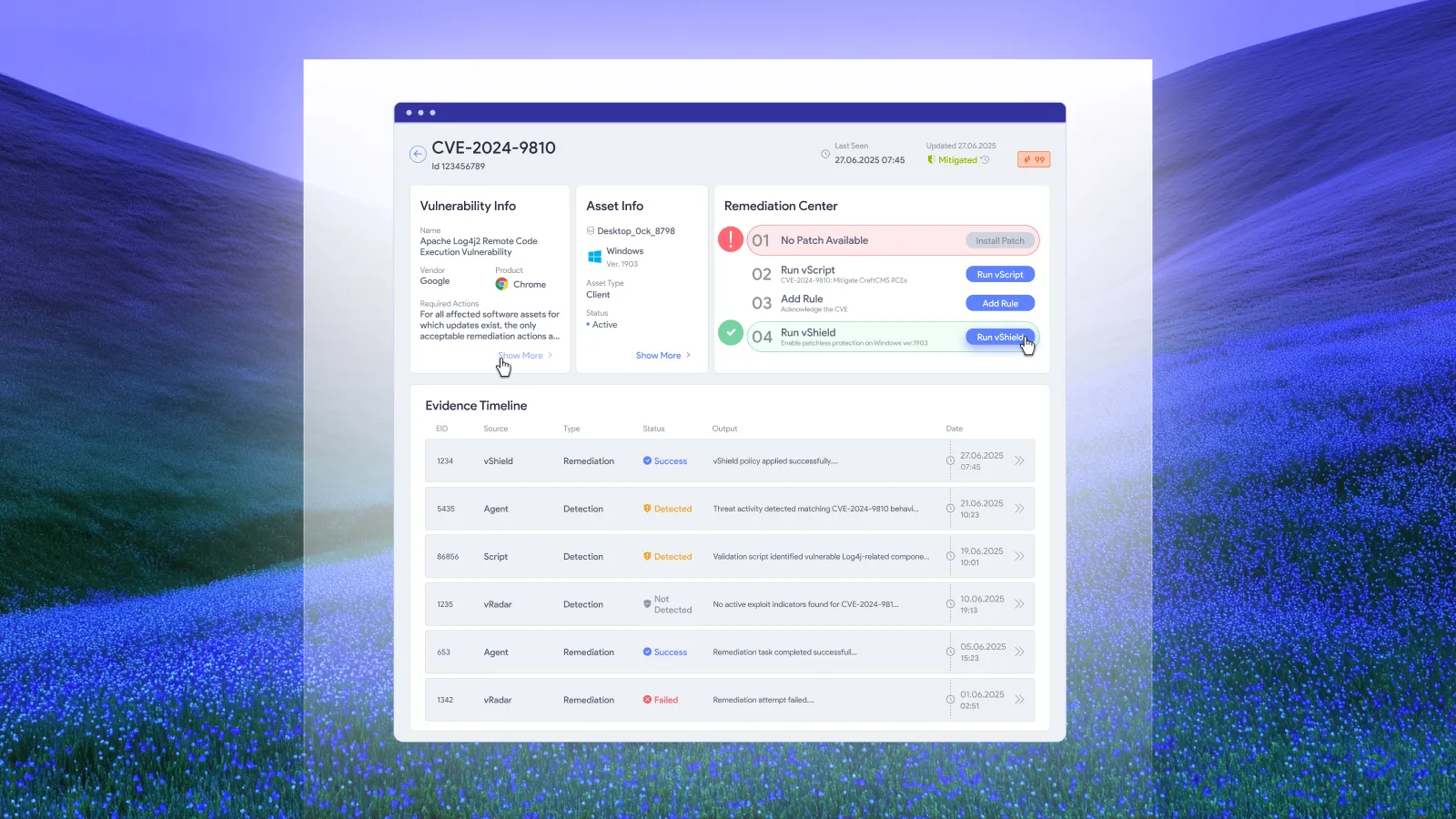
The example below is an original recommended format with fictional data. It shows how to connect assessment results to execution without presenting a scanner export as a completed remediation plan. It is not an industry benchmark, a customer case study or a prescribed compliance template.
What belongs in a vulnerability assessment report?
Include the assessment scope and dates, methods, coverage limitations, findings, supporting evidence, remediation ownership, recommended actions and verification criteria. Give the executive reader a concise decision summary, then provide enough detail for the people responsible for making changes.
NIST's technical assessment guidance addresses planning tests, analyzing findings and developing mitigation strategies. It also discusses the benefits and limitations of assessment techniques. That is a useful foundation for reporting what the evidence supports, rather than treating every finding as equally certain. NIST SP 800-115 is the primary reference.
Keep the report date separate from the observation date. A report issued today may contain results collected several days earlier. Readers need to know whether a finding reflects current state, historical state or a change that has not yet been reassessed.
Example: scope and coverage statement
In this fictional assessment, a team reviews 120 managed workstations supporting an internal business service. The figures below are chosen solely to explain the reporting method.
| Field | Illustrative entry |
|---|---|
| Assessment identifier | EXAMPLE-01 |
| Population in scope | 120 workstations in the defined service inventory |
| Assessment method | Authenticated software inventory and configuration checks |
| Successfully assessed | 112 workstations |
| Incomplete coverage | 8 workstations unavailable during the collection window |
| Excluded activity | Exploit execution and application penetration testing |
| Evidence boundary | Results describe the assessed assets at collection time |
The coverage statement prevents a misleading conclusion. The eight unavailable workstations are not evidence of eight secure workstations. They require a separate assessment action. At the same time, their absence does not prove that they contain the same vulnerabilities as the assessed population.
In a real report, include the exact inventory snapshot, collection timestamps and method details needed to reproduce the scope. Link the underlying asset identifiers through an access-controlled evidence store. Avoid putting sensitive operational detail into a broadly distributed executive summary.
Write a summary that supports a decision
A concise executive summary for the example could read:
The assessment completed on 112 of 120 in-scope workstations. A fictional unsupported application release was observed on 12 assessed assets. Endpoint operations owns the update action, with application-owner validation required before closure. Eight unavailable assets remain outside the assessment result and have a separate collection task. This assessment did not test exploitability through exploit execution.
This paragraph gives the reader an affected population, an owner, a next action and a limitation. It avoids claiming that a severity label proves an incident is likely or that the whole estate has been covered.
Use the summary to name the decision needed now. If routine remediation is already authorized and running, say so and identify exceptions. If a service dependency prevents execution, state which owner must resolve it. A report should not require management to approve routine work again merely because the findings have been exported into a document.
Make each finding executable
A finding needs enough context to become an action without another translation exercise. Preserve the observed condition and its evidence separately from the recommended response. The following example uses a fictional application so that invented versions cannot be mistaken for a real advisory.
| Finding field | Illustrative entry |
|---|---|
| Finding ID | EXAMPLE-F01 |
| Condition | Fictional application release outside the team's approved support baseline |
| Affected population | 12 of the 112 assessed workstations |
| Evidence | Authenticated installed-software record, asset ID and observation timestamp |
| Priority rationale | Business use and unsupported state require review under the organization's policy |
| Action owner | Endpoint operations; application owner validates function |
| Proposed action | Deploy the approved supported release through the existing update policy |
| Completion evidence | Fresh installed-version evidence and the required application check |
| Exception handling | Record failed or deferred assets individually, with owner and next review point |
For a real vulnerability, add the actual advisory identifier and authoritative remediation reference. Record the severity system and version if a score is used. Do not invent a Common Vulnerabilities and Exposures identifier merely to make the example look technical.
Keep a stable relationship between a finding and its affected assets. One shared change may address several findings, while one finding may require different actions across assets. A single ticket number is therefore not enough to explain which conditions were resolved on which machines.
Separate deployment progress from verified closure
The report should show what happened after the assessment. A successful deployment record is useful evidence, but the completion criteria determine whether the finding can close. NIST explicitly includes verification in the enterprise patch management lifecycle. Its patch management planning guidance supports treating verification as part of the work.
Continue the fictional example: nine of the twelve affected workstations now have fresh evidence of the supported release and pass the required application check. Two have received the update but still need a required restart. One was unavailable during deployment.
| State | Assets | What the report can conclude |
|---|---|---|
| Verified complete | 9 | The defined completion criteria passed |
| Restart pending | 2 | The change has not met all completion criteria |
| Deployment outstanding | 1 | The intended action remains incomplete |
| Total affected cohort | 12 | The original affected population remains traceable |
The verified completion rate for this finding is 9 divided by 12, or 75%. That is a calculation within the fictional cohort, not a claim that 75% of the estate is secure. The eight unassessed workstations remain a separate coverage issue and must not disappear into this denominator.
For more detail on the evidence behind closure, use the patch verification checklist as a supporting reference.
Generate routine fields and review exceptions
Where your systems support it, populate asset identifiers, observation times, deployment states and verification results directly from their authoritative records. Retain links to those records so a reviewer can investigate a result without requesting a new export.
Use human review for the parts that require interpretation: conflicting evidence, uncertain ownership, business consequences, an unsupported assumption or a decision to accept residual exposure. This keeps the report useful without turning every release into a document-production project.
Keep historical snapshots reproducible. If the live dashboard changes tomorrow, a reader should still be able to establish what the report meant when issued. Record a report version, data cutoff and the identifiers needed to reconstruct the population. A live link alone may not preserve that context.
Record mitigation and acceptance honestly
Some findings will remain open while a temporary control reduces exposure. Others may have an explicit risk-acceptance decision. Give those states their own descriptions rather than counting them as permanently fixed.
For a temporary measure, record the affected condition, control applied, evidence that the control is functioning, owner and revisit trigger. For acceptance, link the authorized decision and its scope. Neither state should silently erase the original finding or its age.
Report temporary protection as progress while leaving permanent correction outstanding. It can distinguish completed fixes, verified temporary controls and work that is still waiting for a decision. That distinction helps the next reader act on the remaining exposure.
Frequently asked questions
What is the difference between a scan export and an assessment report?
A scan export presents tool results. An assessment report explains scope, methods, evidence limitations and the actions that follow. It should preserve the underlying results while adding ownership and criteria for determining whether the work is complete.
Should every finding have a CVE number?
No. A report may include configuration or support-policy findings that do not have an applicable CVE identifier. Use a stable internal finding ID and describe the actual observed condition. Include an external identifier only when it applies.
How should unavailable assets appear?
Show them as a coverage limitation with an owner and a next assessment action. Do not classify them as clean or assume they share the findings observed elsewhere. Keep coverage and remediation-completion denominators explicit.
Can the report be produced automatically?
Routine evidence fields can be populated automatically where the organization's tools and integrations support it. Review ambiguous findings, business context and exceptions. Automation should preserve source timestamps and identifiers so the resulting report remains traceable.
Apply the example to one existing report
Take one current assessment report and trace a finding through affected assets, action ownership and completion evidence. Add the missing links to the existing records. Use the example tables as a starting format, then generate recurring fields from your authoritative systems wherever possible.